
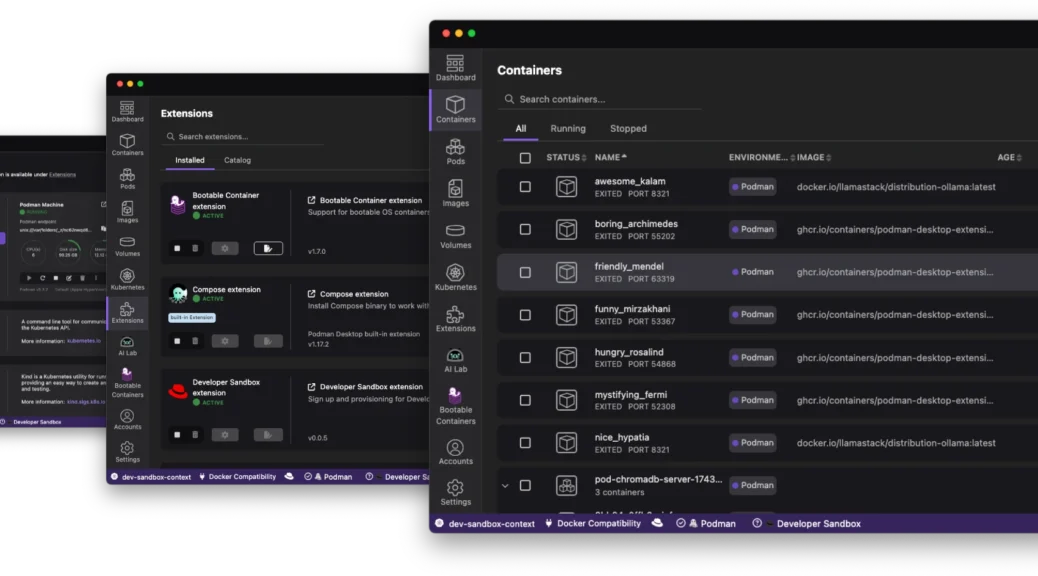
The “it works on my machine” excuse has officially reached its expiration date. As we move through 2026, the complexity of modern applications – often involving a mix of containers, Kubernetes manifests, and now local AI models – demands a local environment that is not just a sandbox; it is a mirror of production.
Enter the Red Hat build of Podman Desktop.
While the open-source community has long embraced Podman Desktop as the go-to alternative for container management, enterprises have been looking for a version that bridges the gap between community innovation and corporate-grade stability; this newly debuted offering does exactly that.
What Exactly is the Red Hat Build of Podman Desktop?
At its core, the Red Hat build of Podman Desktop is a downstream, supported distribution of the upstream Podman Desktop project. Think of it like the relationship between Fedora and Red Hat Enterprise Linux (RHEL); it takes the cutting-edge features of the community project and bundles them into a secure, integrated package designed for the enterprise.
Key Components Include:
- The Core Engine: A daemonless, rootless container engine that prioritises security.
- The Desktop UI: A streamlined graphical interface for managing containers, images, and pods.
- Red Hat Extension Pack: Out-of-the-box integration with OpenShift Local, Developer Sandbox, and Bootc (for bootable containers).
- Enterprise Support: Access to Red Hat’s global support team, security patches, and predictable lifecycle management.
Upstream vs. Red Hat Build: What is the Difference?
You might wonder: “If Podman Desktop is already free and open-source, why the Red Hat build?” The difference lies in trust and integration.
| Feature | Podman Desktop (Upstream) | Red Hat Build of Podman Desktop |
| Governance | Community-led (CNCF Sandbox) | Red Hat-supported |
| Extensions | Install manually via marketplace | Bundled and pre-configured Red Hat extensions |
| Security | Community patches | Hardened builds, vetted content, and RHEL-based security |
| SSO | Optional/Generic | Integrated Red Hat SSO for easy access to ecosystem content |
| Lifecycle | Fast-paced community releases | Managed lifecycle with enterprise SLAs |
For the individual hobbyist, the upstream version remains a powerhouse. For a platform engineer managing 5,000 developer workstations, the Red Hat build provides the policy enforcement and predictability required to keep a fleet secure.
Podman Desktop vs. Red Hat Dev Spaces: Choosing Your Loop
A common question is where Podman Desktop ends and Red Hat OpenShift Dev Spaces begins; it is not about which one is better – it is about where you want to work.
Red Hat Build of Podman Desktop: The “Local” Loop
- Use Case: You prefer working on your local MacBook, Windows laptop, or RHEL workstation. You need to work offline (on a plane or in a café) and want direct access to your local file system.
- Strengths: Best for building images, testing Quadlets (systemd integration), and experimenting with local LLMs via the Podman AI Lab extension.
- Vibe: Professional-grade local control.
Red Hat OpenShift Dev Spaces: The “Cloud” Loop
- Use Case: You want a zero-configuration, browser-based environment that runs directly on an OpenShift cluster. You need to ensure every developer on the team has the exact same tools, versions, and dependencies.
- Strengths: Total consistency. Since it runs as a pod in the cluster, it is closer to production than any laptop could ever be; it eliminates “works on my machine” entirely by making “the machine” a shared cluster resource.
- Vibe: Collaborative, secure, and infrastructure-independent.
Final Thoughts: Which One is for You?
If you are an enterprise developer who needs a secure, daemonless way to manage containers on your laptop with the peace of mind that comes from official support, the Red Hat build of Podman Desktop is your new best friend.
However, if your team is moving toward a “workspace-as-a-service” model where you want to code in a browser without ever worrying about local setup, Dev Spaces remains the gold standard for a centralised development environment.