
Tag Archives: DevOps

Beyond the Dashboard: How a 14B LLM Brought Real Intelligence to My Server Monitoring

If you manage Linux servers, you already know the morning ritual. You sip your coffee and stare at your monitoring dashboards. Grafana, Zabbix, Datadog – pick your poison. They are excellent at showing you lines on a graph, but let’s be honest; traditional monitoring is fundamentally “dumb.”

Standard monitoring relies on rigid thresholds. If CPU usage hits 95%, you get an alert. But what if that 95% CPU usage is just the scheduled weekly backup running alongside a routine malware scan? Your dashboard doesn’t care. It fires off an alert anyway, contributing to the slow, inevitable creep of alert fatigue.

I wanted something better. I didn’t just want monitoring; I wanted monitoring plus intelligence.

Recently, I decided to put a relatively small, 14-billion parameter Large Language Model (qwen3:14b) to work on a real-life, practical use case: acting as an intelligent filter for my daily systems audits. The result has completely transformed how I handle server alerts.

The Problem: Alert Fatigue and the Need for Context

You can’t just pipe gigabytes of raw logs into an LLM; you’ll blow past the context window in seconds. But you also can’t rely on simple grep scripts to tell you if a server is actually in trouble.

My goal was to build a system that evaluates the holistic health of the server – logs, malware scans, SELinux alerts, HTTP health checks, and system metrics – and makes a decision about whether I actually need to be bothered.

Crucially, I wanted this delivered via email. I don’t want to be tethered to a VPN to check a dashboard. Email notifies me wherever I am, but only if I actually need to look at it.

The Architecture: Bash Meets Python Meets LLM

To make this work, I built a pipeline that marries traditional Linux CLI tools with modern AI:

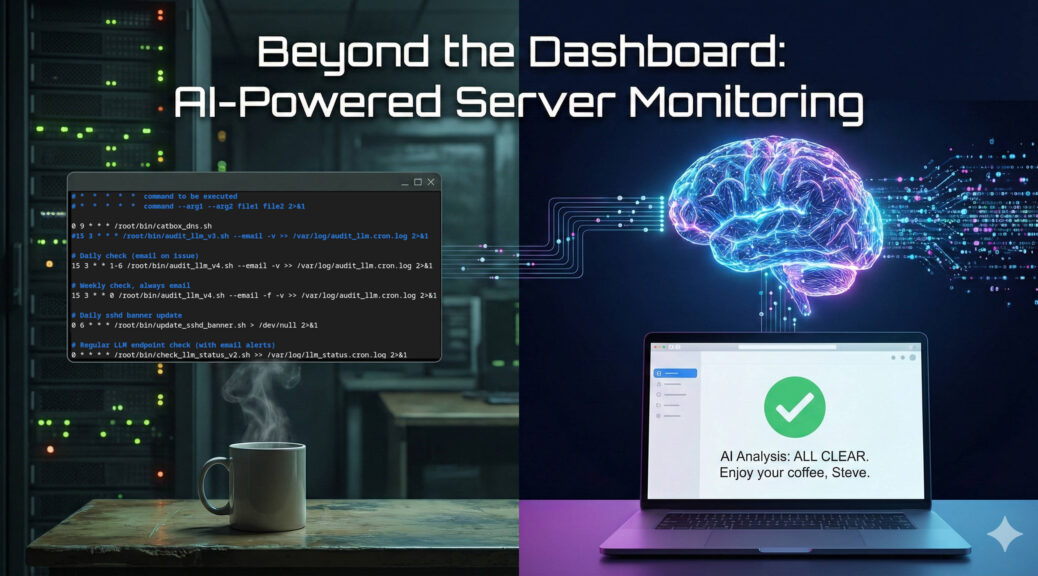
  1. The Cronjob: Schedules the logic. It runs daily checks in the background, but forces a full “all-clear” overview email once a week.
  2. The Bash Aggregator: This is the workhorse. It uses standard tools to ruthlessly filter out routine log noise. It grabs only the critical errors from Apache, Exim, and systemd. It runs maldet, pings local and external DNS, calculates PHP-FPM memory averages, and checks disk space, formatting it all into a concise text block.
  3. The Python LLM Wrapper: This script takes the aggregated data and POSTs it to my local LLM API.

The Magic: Contextual Intelligence

The brilliance of this setup lies in the system prompt. Because the 14B model is highly capable of following instructions, I don’t just ask it to summarise. I give it operational authority to decide if an alert is warranted.

If the model evaluates the filtered logs and metrics and finds nothing operationally threatening, it stays entirely quiet. I receive nothing. No daily spam, no ignored “All OK” alerts.

I only get a daily email if the LLM detects a genuine issue. However, to ensure the system hasn’t silently died, I have a cronjob flag (--force-email) that triggers every Sunday. If everything is fine on Sunday, the LLM generates a friendly, comprehensive “All Clear” summary of the week.

Real-World Impact

This shifts the use of LLMs from an interesting novelty to a highly practical engineering tool.

Instead of waking up to a generic “High Memory Usage” alert, the LLM evaluates the context. It looks at the available system RAM, checks the average PHP-FPM process size, realises a pool is misconfigured, and sends an email recommending a specific, mathematically safe max_children value that leaves a 250MB buffer to prevent an Out-Of-Memory kernel panic.

It doesn’t replace human oversight, but it entirely automates the diagnostic triage. By combining the data aggregation of standard monitoring with the contextual intelligence of an LLM, I’m saving significant time and curing my alert fatigue.

And on Sundays, when the forced check-in runs, the prompt is instructed to remind my sysadmin colleagues – to enjoy a good coffee and a slice of cake. It’s a pretty great way to end the week.