Category Archives: docker

Beyond the Dashboard: How a 14B LLM Brought Real Intelligence to My Server Monitoring
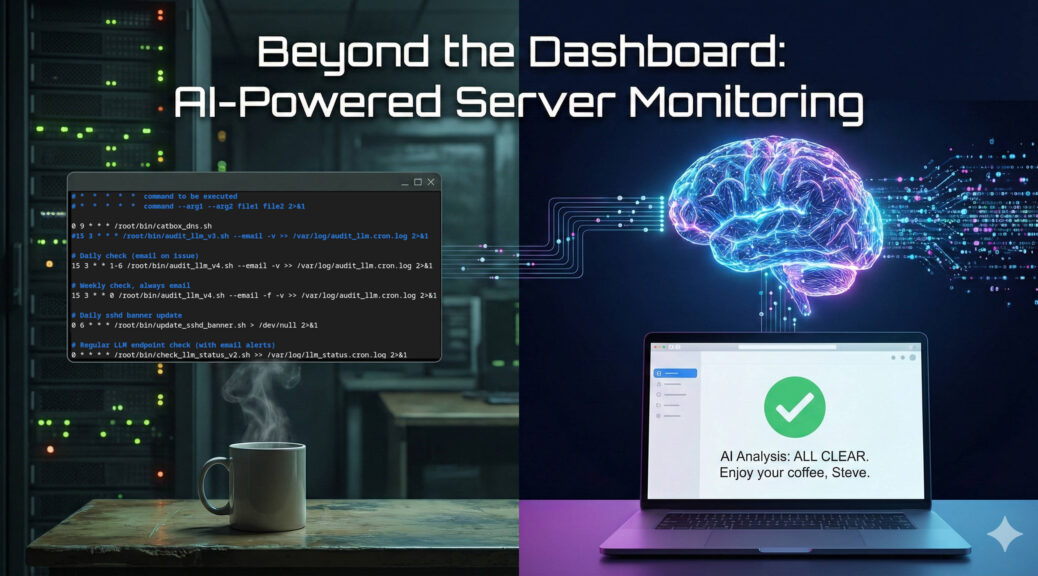
If you manage Linux servers, you already know the morning ritual. You sip your coffee and stare at your monitoring dashboards. Grafana, Zabbix, Datadog – pick your poison. They are excellent at showing you lines on a graph, but let’s be honest; traditional monitoring is fundamentally “dumb.”

Standard monitoring relies on rigid thresholds. If CPU usage hits 95%, you get an alert. But what if that 95% CPU usage is just the scheduled weekly backup running alongside a routine malware scan? Your dashboard doesn’t care. It fires off an alert anyway, contributing to the slow, inevitable creep of alert fatigue.

I wanted something better. I didn’t just want monitoring; I wanted monitoring plus intelligence.

Recently, I decided to put a relatively small, 14-billion parameter Large Language Model (qwen3:14b) to work on a real-life, practical use case: acting as an intelligent filter for my daily systems audits. The result has completely transformed how I handle server alerts.

The Problem: Alert Fatigue and the Need for Context

You can’t just pipe gigabytes of raw logs into an LLM; you’ll blow past the context window in seconds. But you also can’t rely on simple grep scripts to tell you if a server is actually in trouble.

My goal was to build a system that evaluates the holistic health of the server – logs, malware scans, SELinux alerts, HTTP health checks, and system metrics – and makes a decision about whether I actually need to be bothered.

Crucially, I wanted this delivered via email. I don’t want to be tethered to a VPN to check a dashboard. Email notifies me wherever I am, but only if I actually need to look at it.

The Architecture: Bash Meets Python Meets LLM

To make this work, I built a pipeline that marries traditional Linux CLI tools with modern AI:

  1. The Cronjob: Schedules the logic. It runs daily checks in the background, but forces a full “all-clear” overview email once a week.
  2. The Bash Aggregator: This is the workhorse. It uses standard tools to ruthlessly filter out routine log noise. It grabs only the critical errors from Apache, Exim, and systemd. It runs maldet, pings local and external DNS, calculates PHP-FPM memory averages, and checks disk space, formatting it all into a concise text block.
  3. The Python LLM Wrapper: This script takes the aggregated data and POSTs it to my local LLM API.

The Magic: Contextual Intelligence

The brilliance of this setup lies in the system prompt. Because the 14B model is highly capable of following instructions, I don’t just ask it to summarise. I give it operational authority to decide if an alert is warranted.

If the model evaluates the filtered logs and metrics and finds nothing operationally threatening, it stays entirely quiet. I receive nothing. No daily spam, no ignored “All OK” alerts.

I only get a daily email if the LLM detects a genuine issue. However, to ensure the system hasn’t silently died, I have a cronjob flag (--force-email) that triggers every Sunday. If everything is fine on Sunday, the LLM generates a friendly, comprehensive “All Clear” summary of the week.

Real-World Impact

This shifts the use of LLMs from an interesting novelty to a highly practical engineering tool.

Instead of waking up to a generic “High Memory Usage” alert, the LLM evaluates the context. It looks at the available system RAM, checks the average PHP-FPM process size, realises a pool is misconfigured, and sends an email recommending a specific, mathematically safe max_children value that leaves a 250MB buffer to prevent an Out-Of-Memory kernel panic.

It doesn’t replace human oversight, but it entirely automates the diagnostic triage. By combining the data aggregation of standard monitoring with the contextual intelligence of an LLM, I’m saving significant time and curing my alert fatigue.

And on Sundays, when the forced check-in runs, the prompt is instructed to remind my sysadmin colleagues – to enjoy a good coffee and a slice of cake. It’s a pretty great way to end the week.

From the Ham Shack to the Edge: Delivering Real Value with Local LLMs

What happens when you combine an NVIDIA RTX 3060, an open-weight 14-billion parameter LLM, and a global network of amateur radio operators? You get a surprisingly perfect example of edge computing.

By day, I help enterprises scale complex architectures as a Red Hat OpenShift Technical Account Manager. But like many in our industry, my passion for problem-solving does not stop when I log off. A colleague recently suggested I stop keeping my side projects to myself and share what I build in my spare time. So, let me show you how I am using small, locally hosted AI to solve real-world problems right here in my amateur radio shack.

The Context: Open Source Digital Radio

Amateur Radio is currently transitioning from analogue to digital. Much of the digital voice landscape has historically been dominated by locked-down proprietary codecs. FreeDV changes that; It is a suite of digital voice modes built entirely on open-source software. No secrets, no proprietary lock-in; just a community free to experiment.

The Problem: Finding the Signal in the Noise

When using FreeDV, operators rely on live data APIs to see who is transmitting. While standard tools are great, I wanted a way to instantly identify opportunities to communicate with rare, distant stations (known as ‘DX’ in the community) without manually parsing through an hour of rolling logs.

The Solution: FreeDV Reporter+

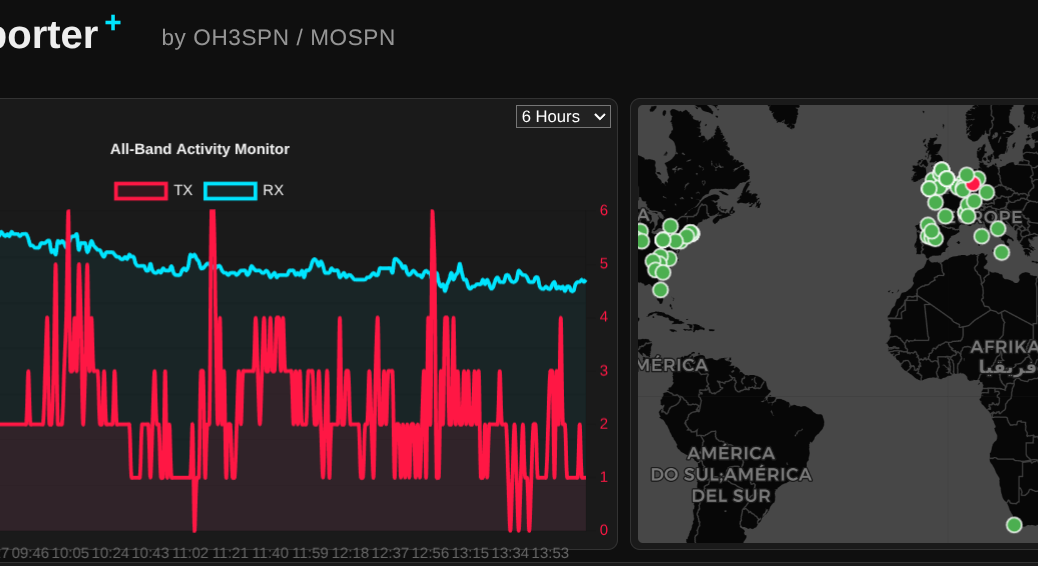
I built a free, web-based tool called FreeDV Reporter+. It connects to the FreeDV Socket.IO API to map live activity, but the real magic is the AI integration.

Every hour, the application analyses the live data stream, condenses the logs, and generates a human-readable summary of the best opportunities on the bands.

Under the Hood: Lean AI on Consumer Hardware

The application is a lightweight Python Flask application, containerised then deployed using Podman.

Instead of relying on expensive cloud APIs, the AI summarisation runs locally on a consumer-grade NVIDIA RTX 3060 GPU, using the qwen3-14b model via the OpenWebUI API. This is a perfect example of how a relatively small (14b) parameter model can provide real, tangible value by assessing live data right at the source.

Scaling from the Shack to the Enterprise Edge

Processing data near the physical location of the user is the fundamental definition of Edge computing. While my setup is a grassroots project, the architectural principles apply directly to modern enterprise challenges.

If an organisation wanted to scale an architecture like FreeDV Reporter+ across thousands of locations (perhaps telecom base stations, logistics networks or electrical substations), they would need to deploy and manage these AI applications consistently. This is exactly where Red Hat OpenShift comes in.

OpenShift extends Kubernetes to the edge, allowing teams to manage remote deployments with the same operational consistency as their core data centres. By utilising Red Hat OpenShift AI, teams can serve and monitor right-sized models securely at the edge, reducing latency and preserving bandwidth.

Crucially, OpenShift AI incorporates vLLM to manage the costs and performance of inferencing. vLLM is an open-source framework that drastically increases inference throughput and optimises memory usage. When deploying models to constrained edge environments where compute resources are strictly limited, this level of efficiency is absolutely vital to keeping operations lean and responsive.

Furthermore, with tools like RHEL AI and InstructLab, developers can easily fine-tune models for more specialist purposes. You get enterprise-grade accuracy for specific tasks without the massive compute costs associated with general-purpose behemoths.

The Takeaway

You do not need massive data centres to extract real value from AI. By strategically deploying small, fine-tuned LLMs at the edge, you can deliver real-time insights securely and efficiently. Whether you are hunting for rare radio signals across the globe or optimising a production line, the edge is where AI truly gets to work.

If you are a radio amateur, I would love for you to try out FreeDV Reporter+. And if you are interested in running robust AI workloads at the edge, let us connect and talk about OpenShift!

What I Learnt Giving an LLM Agent Control of My Crypto Wallet

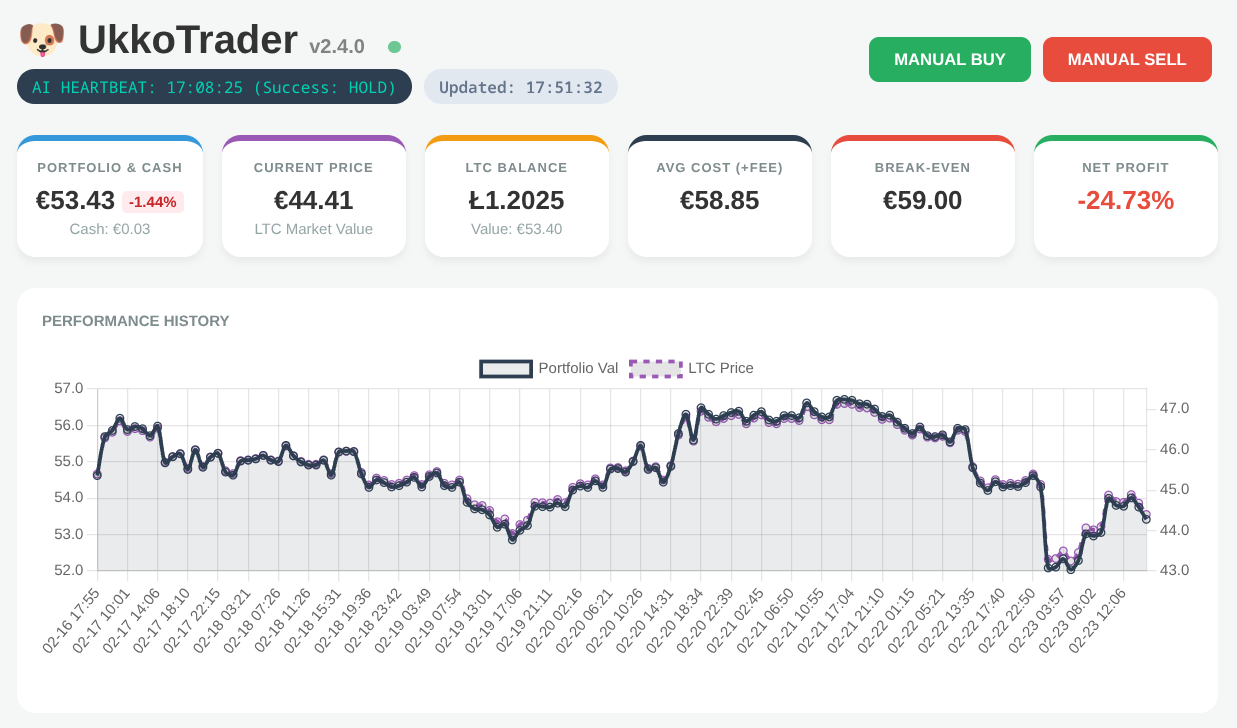
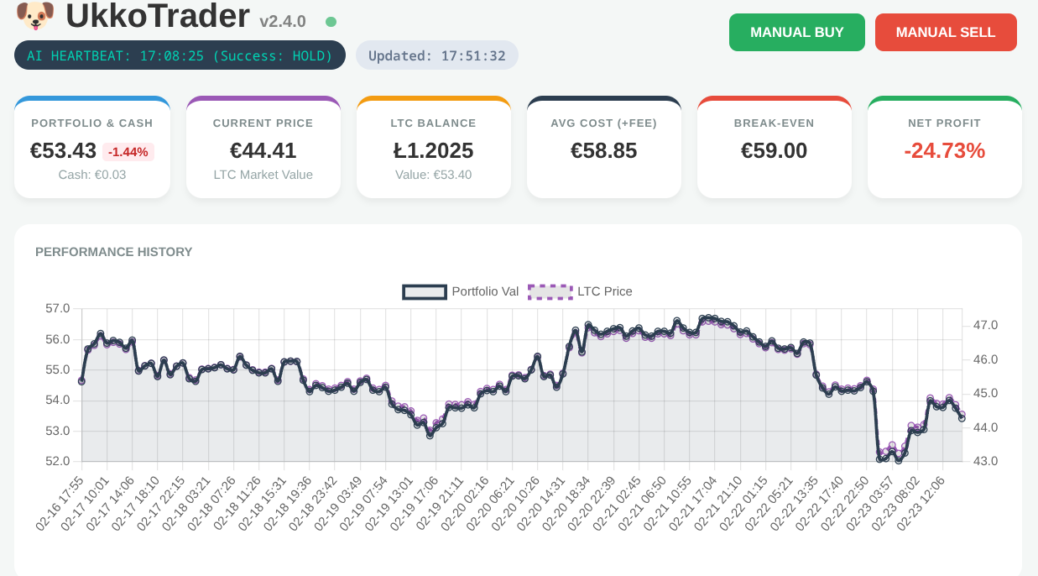
UkkoTrader Dashboard Header showing Net Loss from early trades

In my role as a Senior OpenShift Technical Account Manager at Red Hat, I focus on mission-critical stability; helping organisations navigate the shift from cloud-native architectures to AI-ready operations. But there is a distinct difference between advising on a scalable MLOps workflow and trusting a local LLM to trade your own capital in a volatile market.

Would you trust an AI agent with your bank account? I did; and it was a masterclass in ‘Boom or Bust’ logic.

Continue reading What I Learnt Giving an LLM Agent Control of My Crypto Wallet

Docker Panic, CMD and Hashbang

Noticed issue when rebuilding dockerfile and running image:-

panic: standard_init_linux.go:178: exec user process caused "exec format error" [recovered]
	panic: standard_init_linux.go:178: exec user process caused "exec format error"

goroutine 1 [running, locked to thread]:
panic(0x6f3080, 0xc4201393b0)

Did much digging, identified that when specifying a script as a CMD in the Dockerfile, this script now requires a proper hashbang (aka shebang) or the above panic results.

#!/bin/bash
rm -rf /run/httpd/* /tmp/httpd*
exec /usr/sbin/apachectl -DFOREGROUND

Rebuilding the docker image with –no-cache option ensures the updated file is included.

Docker and Apache QuickStart

mkdir -p dockerfile/C7httpd; cd dockerfile/C7httpd
vi Dockerfile

FROM centos:7
MAINTAINER "Steve Netting" steve@netting.org.uk
ENV container docker
RUN yum -y --setopt=tsflags=nodocs update && \
yum -y --setopt=tsflags=nodocs install httpd && \
yum clean all

EXPOSE 80

ADD run-httpd.sh /run-httpd.sh
RUN chmod -v +x /run-httpd.sh

CMD ["/run-httpd.sh"]

vi run-httpd.sh

#!/bin/bash

# Make sure we're not confused by old, incompletely-shutdown httpd
# context after restarting the container. httpd won't start correctly
# if it thinks it is already running.
rm -rf /run/httpd/* /tmp/httpd*

exec /usr/sbin/apachectl -DFOREGROUND

docker build .
docker images
docker run -d -p:8082:80 steve/httpd:latest
docker ps
curl http://localhost:8082

... If you can read this page it means that this site is working properly ...

To start interactive shell from inside running container:
docker exec -i -t romantic_noyce /bin/bash